
After creating a new vault or loan, you must register the details of your multisig wallet with your Jade before you can sign transactions. This means importing information about how the multisig wallet was constructed so that the Jade has context for what it may be asked to sign.
What you’ll need:
- A PC or Mac signed in to your Unchained account
- Your Jade with its USB cord
- A live vault or loan created using a Jade key
How to register your Jade:
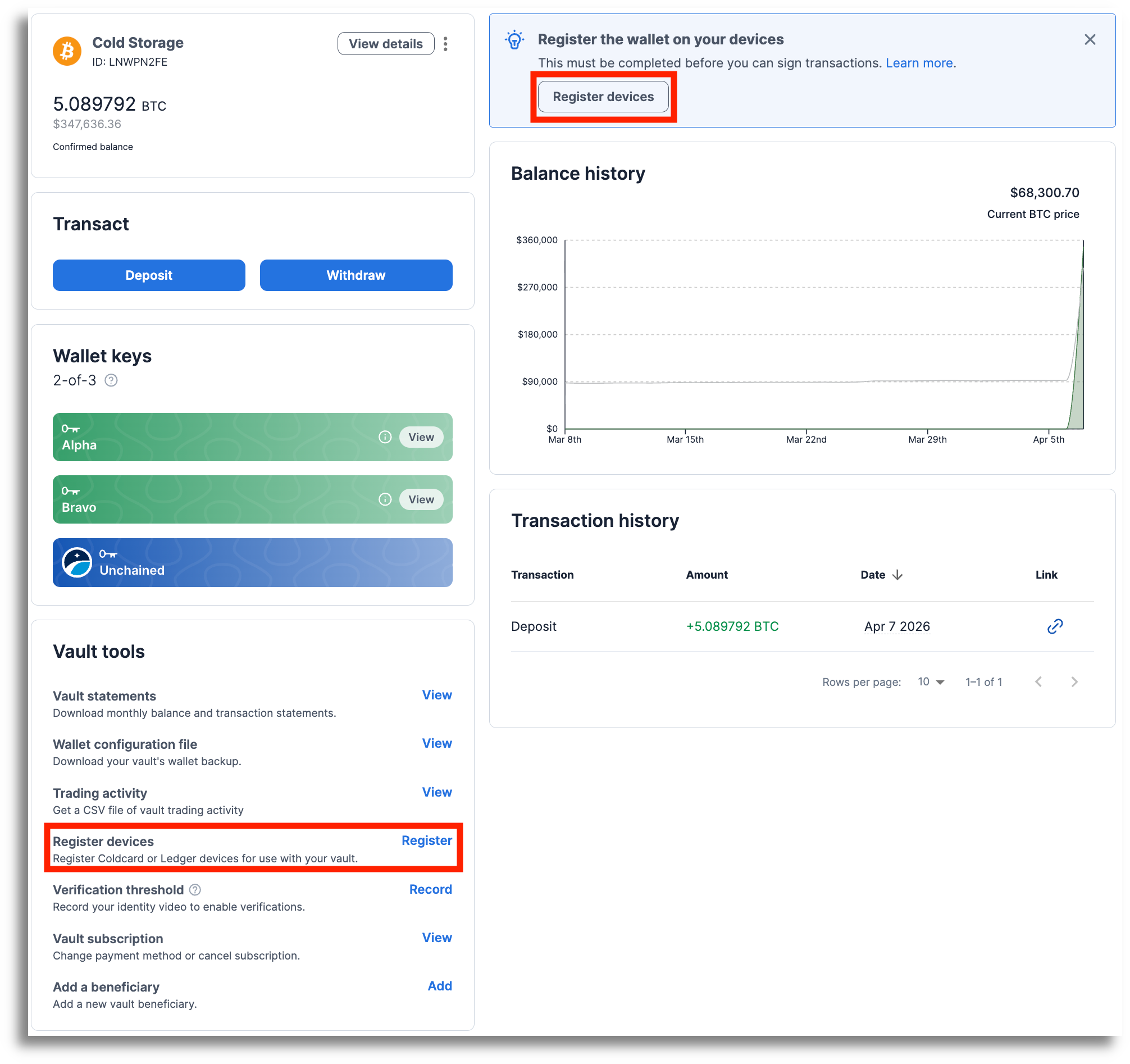
- Vaults: Click Register devices from the Vault tools section or the banner at the top of your screen.
Loans: Click Register devices from the loan page menu.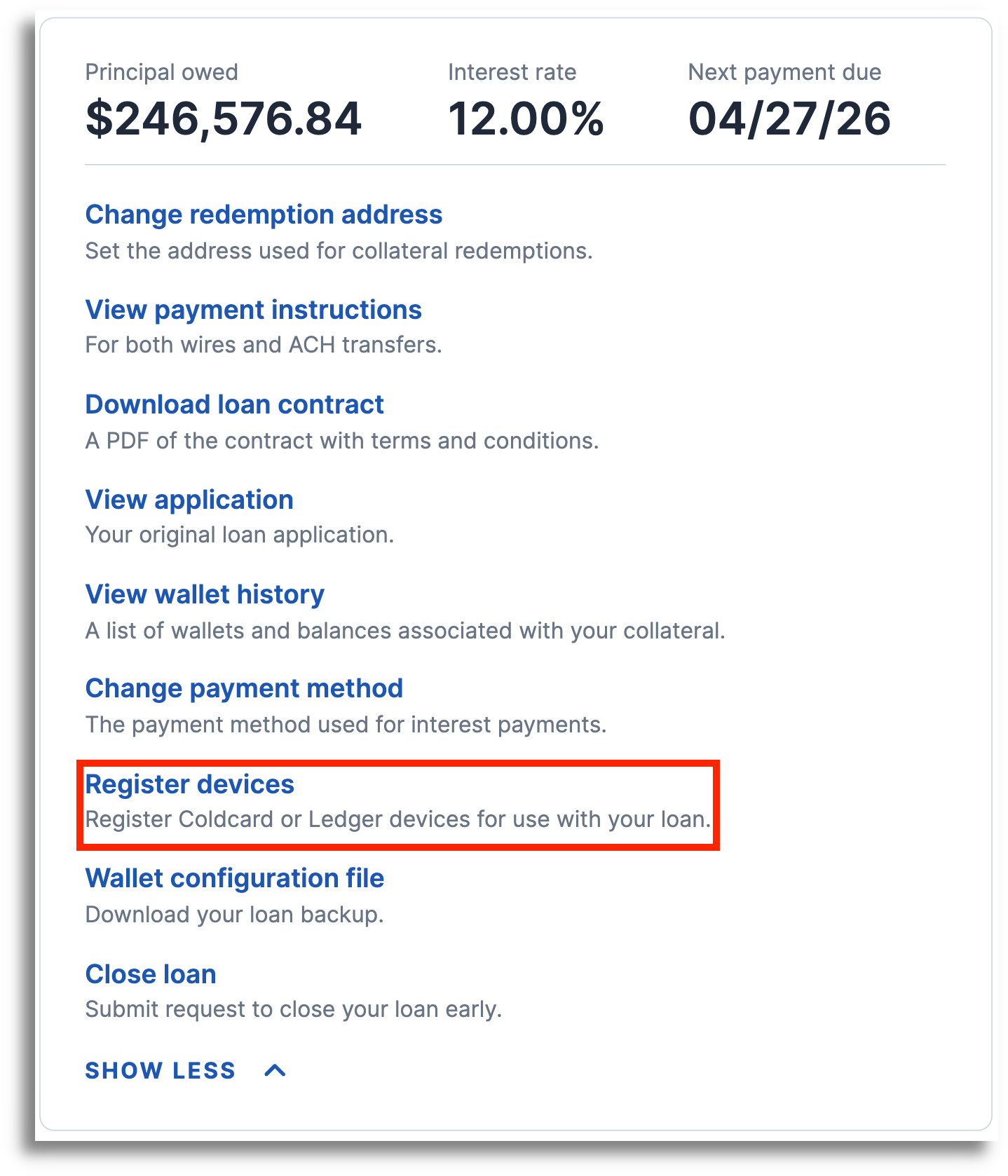
- Select Jade and click Next.
- Plug in your Jade and click Next to enter your PIN on your Jade.
- Follow the steps on your Jade to finish registering. All of the detailed information being presented on the Jade is shown on your computer screen for you to compare and verify.
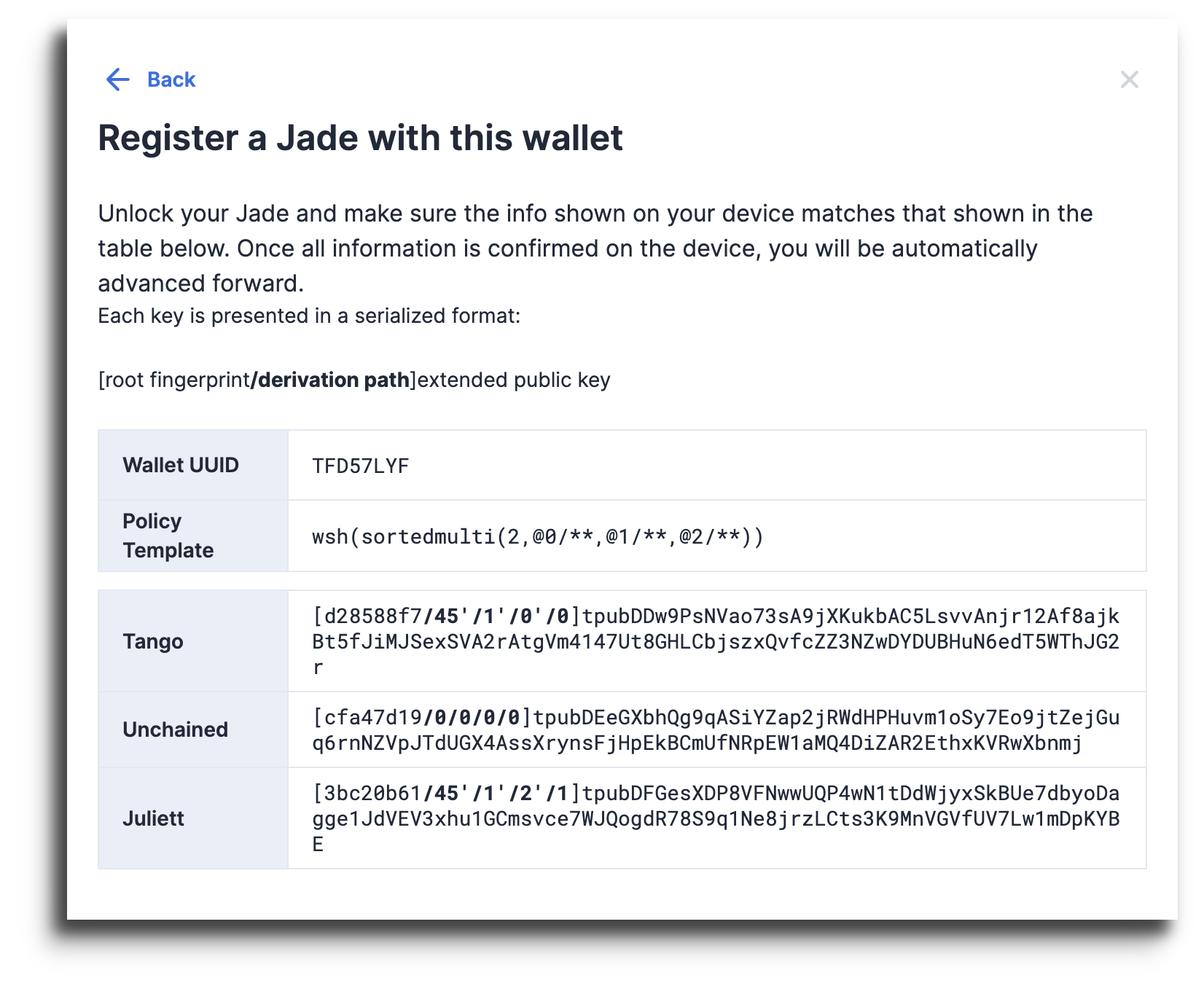
- Select the right arrow on your Jade until you reach the ✔️. Select the ✔️to finish.
- That’s it! Your Jade is now ready to use.